How to Clip Video for Social Media a Viral Shorts Guide
Other
You already have more short-form content than you think.
If you record podcasts, webinars, customer interviews, tutorials, or YouTube videos, you're probably sitting on hours of usable footage that never makes it to TikTok, Reels, or Shorts. The bottleneck usually isn't ideas. It's the grind of rewatching everything, scrubbing the timeline, testing crop sizes, fixing captions, and exporting versions for every platform.
That's why learning how to clip video well matters. Not just technically, but strategically. The core skill isn't cutting random snippets out of a long recording. It's spotting the moments that have standalone value, shaping them for mobile viewing, and doing it fast enough that repurposing becomes part of your workflow instead of a someday task.
Why Your Long Videos Are a Goldmine for Shorts
A long video usually contains multiple short videos hiding inside it. A podcast episode might have a sharp opinion, a clean teaching moment, a surprising reaction, and one memorable quote. A webinar might have three objections, two useful examples, and a concise explanation that works far better as a short than as minute thirty-seven of a full replay.
The problem is manual clipping doesn't scale. You open a sixty-minute file, scrub for highlights, trim one promising segment, test the intro, add subtitles, recrop to vertical, then realize the first line was too slow. Repeat that enough times and even good source material starts to feel like a burden.
That matters because short-form viewers decide quickly. The first 2.7 seconds are critical for grabbing attention, and viewer drop-off happens fast: about 20% click away within 10 seconds, 45% by 1 minute, and nearly 60% by the 2-minute mark, according to these video marketing stats . If your best point lands too late, the clip loses before it starts.
What makes old footage valuable
Older long-form content often performs well as shorts for a simple reason. It was usually recorded with more depth than a short-form script. That gives you raw material with stronger ideas, better context, and more natural delivery.
A single archive folder can produce:
- Opinion clips that spark comments
- Teaching clips that answer one question fast
- Story clips with a natural payoff
- Proof clips that build trust from interviews, demos, or testimonials
Practical rule: Don't ask, “Can I turn this video into a short?” Ask, “How many distinct viewer outcomes are inside this recording?”
That mindset is the difference between republishing and repurposing. If you need a clean framework for that shift, this guide on content repurposing is a useful place to anchor the broader strategy.
The upside is simple. Your long-form catalog isn't a library of finished assets. It's a backlog of raw inputs for a repeatable short-form system.
Finding Viral Moments in Your Long-Form Content
Clipping often begins with identifying “interesting parts.” That's too vague to be useful. Interesting to you might be slow to a scroller on their phone. What works better is reviewing long-form content through a shortlist of high-potential moment types.
What to look for first
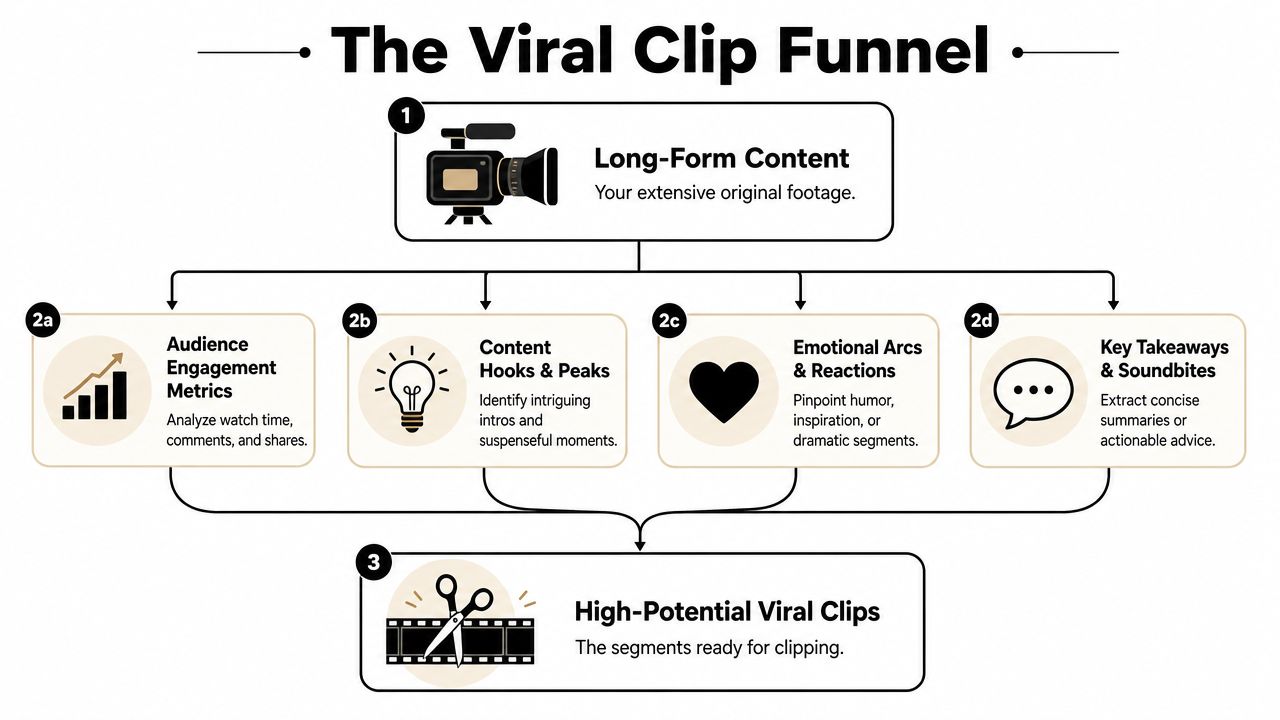
A good clip usually earns attention in the opening line. That could be a strong claim, a surprising answer, a useful mistake, or a line that creates tension. If the viewer immediately understands why they should stay, you have something workable.
I usually sort strong moments into four buckets:
- Hooks with immediate tension. Statements that make someone think, “Wait, why?”
- Compressed education. A complete lesson that can stand alone without heavy setup.
- Emotional reactions. Laughter, frustration, disbelief, relief, or conviction.
- Clean soundbites. Sentences that already sound edited because the speaker landed the point clearly.
That's also why technical editing advice alone doesn't get you far. Most guides explain how to make clips, but rarely answer what makes a clip perform well on platforms like TikTok or Reels. They focus on technical editing rather than the strategic choices around hook selection, length, and captioning that measurably improve watch time, as noted in this video discussion on clip strategy .
Manual spotting versus AI discovery
The manual process is familiar. You scrub the waveform, scan the transcript, mark in and out points, then second-guess every candidate because each one takes time to test. The cost isn't just editing time. It's decision fatigue.
AI changes the role you play. Instead of hunting frame by frame, you review suggestions, reject weak options, and refine the promising ones. That's a better use of creative energy.
A transcript-driven workflow is especially useful for:
- Question-led content where strong moments begin with a direct prompt
- Interviews and podcasts where topic shifts create natural clip boundaries
- Educational videos where concise answers are buried inside longer explanations
If you want to see how transcript-level discovery changes the process, this piece on searching by video gets at the core advantage. You stop acting like an assistant in your own editing workflow and start acting like an editor making choices from a shortlist.
A viral moment usually isn't the loudest moment. It's the moment with the clearest promise to the viewer.
That's the filter worth keeping on every pass.
From Raw Footage to First Cut With AI
The first practical decision is how you're getting footage into the system. In most web-based workflows, that means either pasting a published video link or uploading the source file directly.
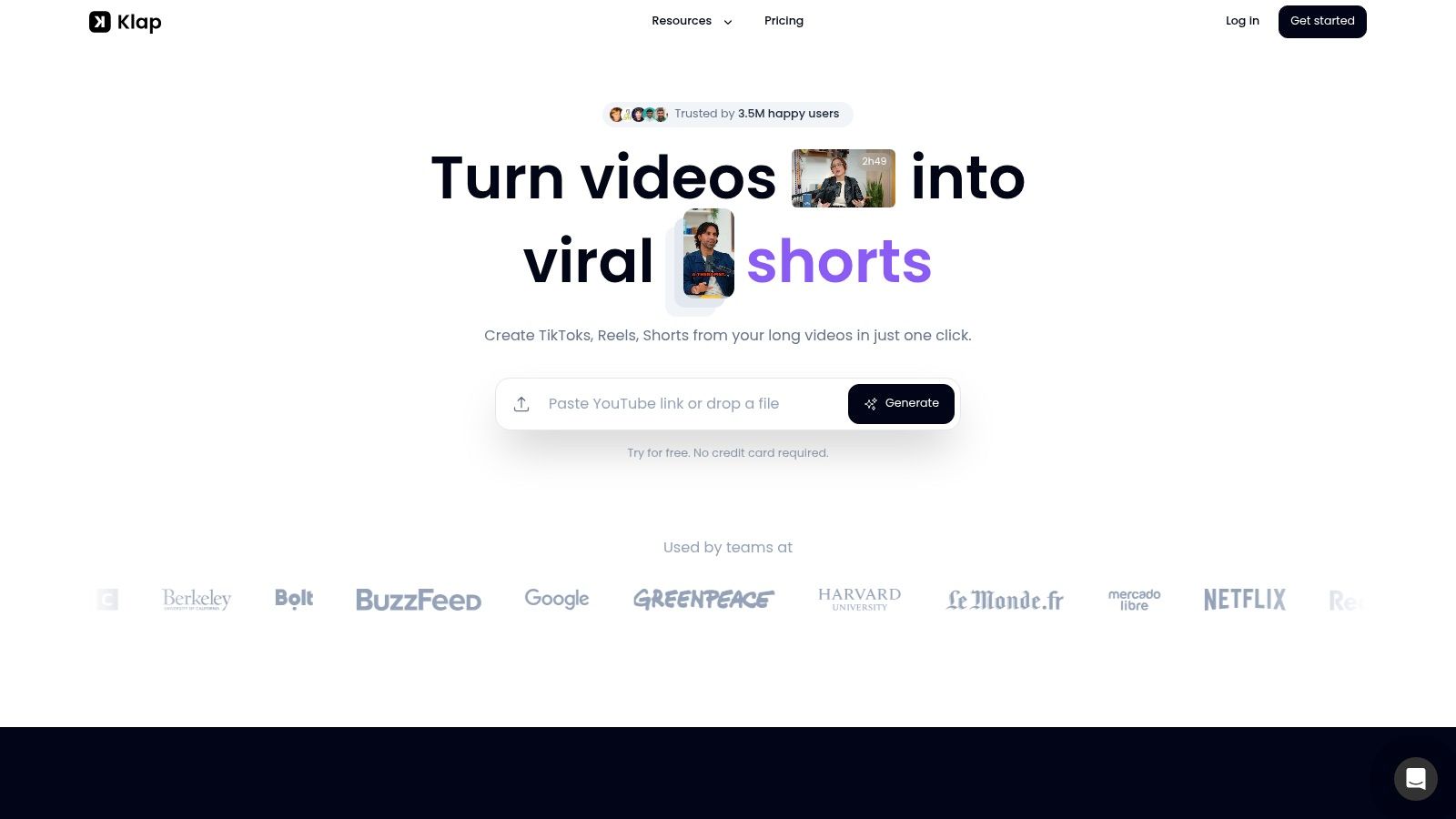
A link is faster when the video is already live and you don't need to swap versions. A direct upload is better when you want control over the exact master, especially if the published cut has intros, outros, or baked-in graphics you don't want in the shorts.
Import choices that save headaches
Format compatibility matters more than people expect. Professional video workflows typically use MP4/H.264 at 24–60 fps, and web-based clipping tools often work with upload limits ranging from under 5GB to 6GB, according to these video clip specifications . In practice, that means you'll save time if you normalize exports before upload instead of hoping a random container or oversized file works cleanly.
A few import decisions usually pay off right away:
- Use standard exports. MP4/H.264 is the safe default for web workflows.
- Trim dead weight early. If your source file includes long holding screens or irrelevant tails, cut those before upload when possible.
- Keep naming clean. A clear source title makes batch review easier when you generate multiple clips from multiple recordings.
There's also a broader reason AI-assisted clipping is becoming part of the stack for marketing teams. If you're evaluating the category from the business side, this breakdown of generative video models for marketing ROI is a useful companion read because it frames where speed and output volume matter.
Reviewing the first batch of clips
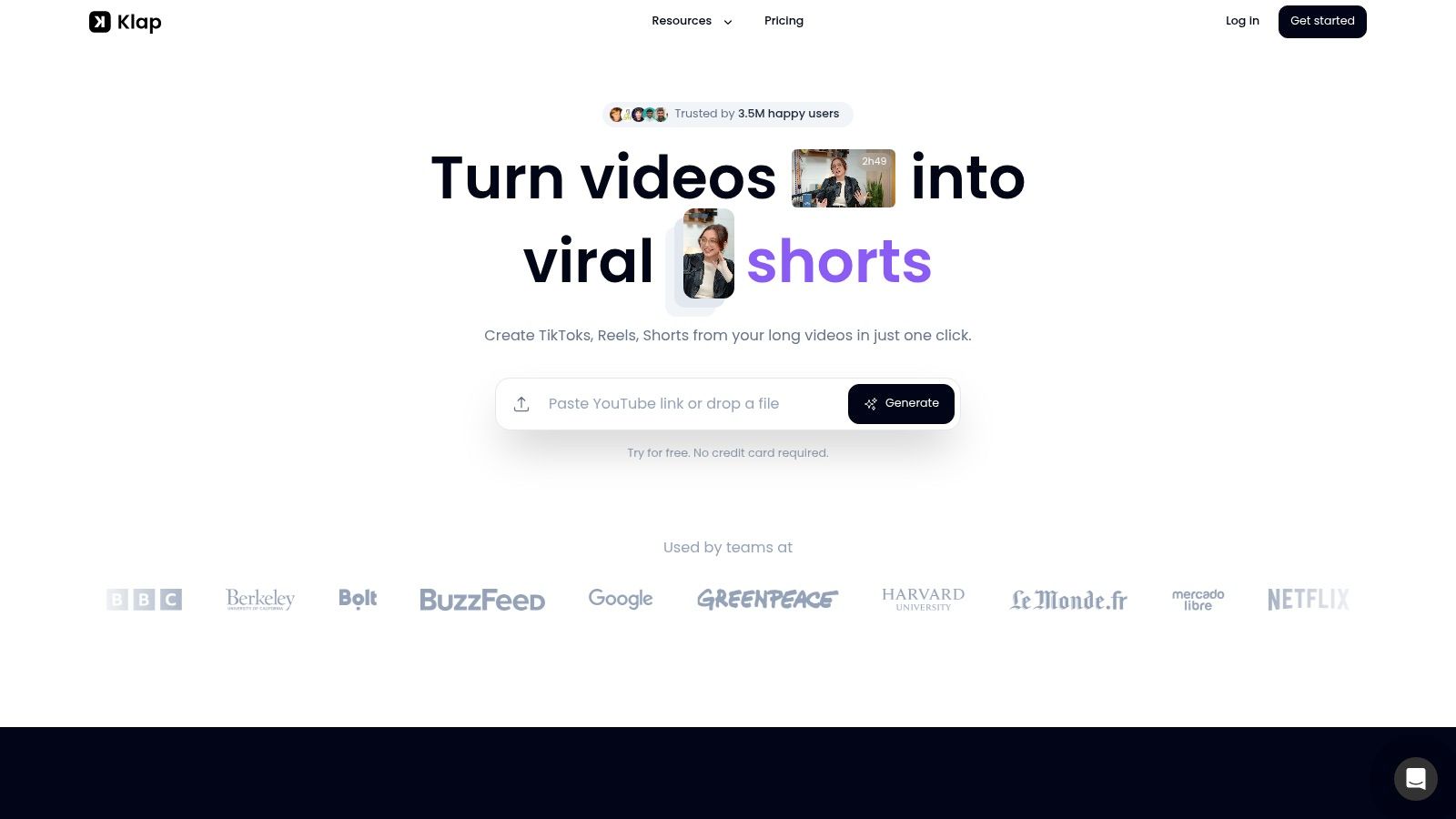
Once the video is ingested, the useful shift is speed of first review. A tool like Klap takes a long-form video, analyzes it, identifies likely highlight segments, reframes them for vertical viewing, adds captions, and gives you short clips to review instead of a blank timeline.
That changes the first hour of work. You're not building every clip from zero. You're sorting, tightening, and deciding which ideas deserve polish.
A simple review pass looks like this:
- Scan titles or transcript snippets to find clips with immediate payoff.
- Open the strongest candidates first and judge the first line before anything else.
- Cut weak setups fast if the value starts too late.
- Drop duplicates when multiple clips say roughly the same thing.
If you want a closer look at transcript-first extraction, this guide to an AI video summarizer is useful because the same principle applies to clipping. Reduce the search space first, then edit.
A quick demo helps make that workflow concrete:
The main trade-off is straightforward. AI gets you to a strong first draft faster. It doesn't remove judgment. You still need to decide which clips have a real hook, which ones need trimming, and which ones aren't worth posting.
Refining Your Clip for Maximum Impact
The first draft is usually close. The last ten percent is where the clip becomes publishable.
A common example is a clip that starts one sentence too early. The AI catches the topic correctly, but the speaker warms into the point instead of opening with it. That's an easy fix, and it often changes the whole feel of the short.
Tighten the in and out points
When I review a first cut, I look at the opening and ending before anything else. If the first phrase is throat-clearing, it goes. If the ending drifts after the main payoff, that goes too.
Small timing changes matter a lot here:
- Start on the claim, not the preamble
- End on the payoff, not the repetition
- Keep reaction beats when they add tension or humor
- Remove bridge phrases that made sense in the long video but slow down a short
The best edit is often subtraction. Most weak shorts aren't missing more effects. They're carrying too much setup.
Reframe for the phone screen
Vertical isn't optional for short-form distribution. The standard export target for short clips is 9:16 at 1080 x 1920, and while lower resolutions may still upload, that size helps preserve clarity after platform compression, based on these social video specs .
That creates a practical editing job. A wide podcast shot might include two speakers, a desk, and negative space that works fine on YouTube but feels empty on a phone. Reframing fixes that by deciding what deserves screen real estate.
When reviewing the crop, check three things:
CheckWhat to look for
Subject position
Is the face centered naturally, not floating too low or too tight?
Visual hierarchy
Does the viewer know where to look in the first second?
Safe area
Are captions and key facial expressions clear without crowding each other?
Clean up captions like an editor, not a machine
Auto-captions save time, but they still need a pass. Usually the issue isn't total failure. It's one wrong word, bad line breaks, or emphasis landing on the least important phrase.
A strong caption pass usually includes:
- Correcting names and terms so the clip feels intentional
- Breaking lines by meaning instead of by arbitrary character count
- Using brand styling carefully with readable colors and consistent type
- Highlighting key words only when the emphasis helps comprehension
One practical workflow is to treat captions as part of pacing. If the subtitle reveals the whole idea too early, the clip loses tension. If it lags behind the audio, the edit feels sloppy. Good captions support the hook. They don't compete with it.
Optimizing and Publishing for Each Platform
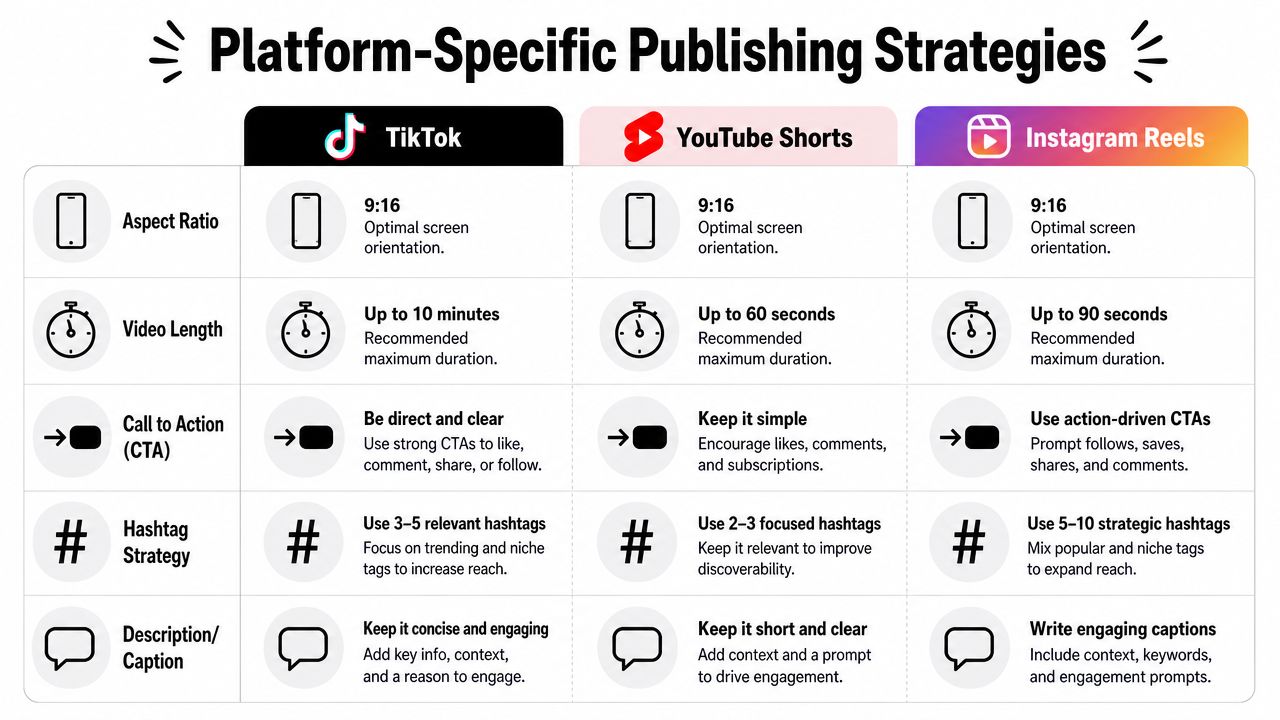
Publishing the same clip everywhere is fine. Publishing the same version everywhere usually isn't. Each platform rewards slightly different framing, caption tone, and calls to action.
TikTok
TikTok tends to reward immediacy. The clip needs to feel native to a fast-scroll environment, which usually means a stronger opening line and less context before the point lands.
For TikTok, I'd usually adjust:
- Caption tone toward curiosity or contrast
- On-screen text to make the premise obvious instantly
- CTA style toward comments, reactions, or disagreement
YouTube Shorts
YouTube Shorts can work well for educational and opinion-led clips that connect back to deeper content. That matters because the audience scale is massive. In early 2023, India had nearly 470 million YouTube users and the U.S. had 246 million, which shows how large the reachable audience is for repurposed short-form video, according to this YouTube audience reference .
So the publishing angle often changes. Instead of pure novelty, Shorts can support a broader content loop:
- Lead with a takeaway if the clip teaches something quickly
- Use the description to connect the short to a broader topic
- Choose a cover frame that still reads clearly in a feed of other videos
Instagram Reels
Reels often sits between the other two. It can handle education, aesthetics, commentary, and personality, but packaging matters. I usually make the visual presentation slightly cleaner here, especially for branded content.
A few Reels-specific habits help:
- Keep caption overlays cleaner so the frame feels less crowded
- Use a cover that reads well on profile grids
- Write post copy that invites saves or shares, not just views
If you're also repurposing snippets into Stories, this Instagram Story length guide is a handy reference for planning cutdowns around that format too.
Publish for the feed you're entering, not the file you exported.
That one adjustment fixes a lot of underperforming posts.
Turn Your Archive into a Content Engine
Clipping works best when you stop treating it like cleanup work.
A long-form video isn't one asset with one release date. It's raw material for a sequence of shorts, each designed for a different viewer intent. One clip can attract attention, another can teach, another can build trust, and another can push someone toward the full episode or the next piece of content.
That's why the strongest clip video workflow has three layers. First, find moments with standalone value. Second, refine them so the hook, framing, and captions hold up on a phone screen. Third, publish with platform-specific packaging instead of pushing the same version everywhere without thought.
When that process is repeatable, your backlog stops collecting dust. Old webinars become educational clips. Interviews become opinion cuts. Podcasts become a month of short-form output. The archive starts working like a content engine, not a graveyard of finished uploads.
The practical shift is simple. Don't wait until you have time to manually edit everything. Build a workflow where AI handles the heavy first pass and you handle the taste, judgment, and final polish.
If you want to turn your existing videos into short social clips without rebuilding every edit by hand, Klap is built for that workflow. You can import long-form content, generate short clips with captions and vertical reframing, review the best candidates, and move from archive to publishable shorts much faster.