How to Summarize Video Content for Social Media in 2026
Other
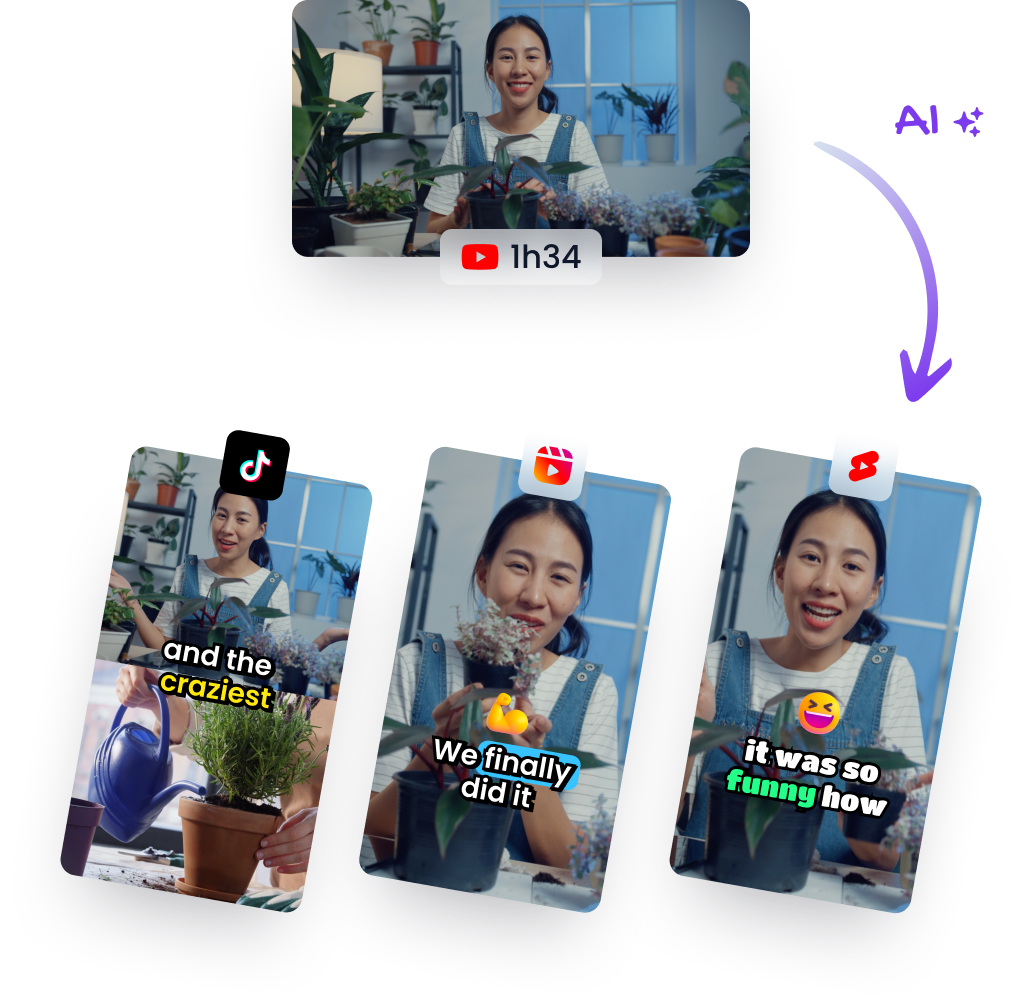
You probably have this problem right now. There's a folder full of webinars, podcast recordings, Zoom interviews, demos, and livestream replays that took real effort to produce, but most of that footage is sitting untouched after the first upload.
That's why people search for ways to summarize video. But for social media, the primary task usually isn't creating a tidy paragraph about what happened. It's finding the moments people will watch, save, and share. A text summary helps with recall. A sharp clip helps with reach.
Why Summarize Video When You Can Create Clips
A traditional summary answers, “What was this video about?” A social clip answers, “Why should someone stop scrolling for this?”
That difference matters. If you recorded a 45-minute interview, the value usually isn't in condensing the whole thing into a few bullets. The value is in extracting the strongest beat: the blunt opinion, the clean teaching moment, the story twist, the visual reveal, or the short answer that lands fast.
Text summaries and social clips solve different problems
Text-first summarization still has a place. It's useful for notes, internal handoffs, research, and content planning. But social platforms reward moments, not completeness.
A strong clip usually has three things:
- A visible hook: the first line or frame creates immediate curiosity.
- A contained idea: the viewer can understand the point without needing the full episode.
- A natural payoff: the clip ends on a conclusion, reaction, or useful takeaway.
That's why many “summarize video” tutorials feel incomplete. They stop at transcripts and bullet points, even though 40% of popular AI summarizers only process captions, ignoring visual cues like charts or on-screen text. For social clips, that's a real limitation because a spoken sentence and a slide, gesture, or demo moment often work together. If you're comparing formats and strategy, this breakdown of short-form vs long-form video content is a useful lens.
Most tutorials fail when they treat a video like an article with audio attached.
The shift from compression to extraction
The old mindset was compression. Take a long video and shrink it.
The better mindset is extraction. Pull out the pieces that can stand alone and still feel native on TikTok, Reels, and Shorts. That changes how you watch footage, how you edit, and how you judge success.
Manual editors do this by instinct. They scrub through footage looking for tension, surprise, conflict, clarity, and emotional lift. AI tools try to do the same at scale by scanning transcript, audio, and visuals together. Both approaches can work. The key is knowing what kind of “summary” you need.
For social media, the winning summary is often not a paragraph. It's a clip someone finishes.
The Manual Method for Handcrafting Video Clips
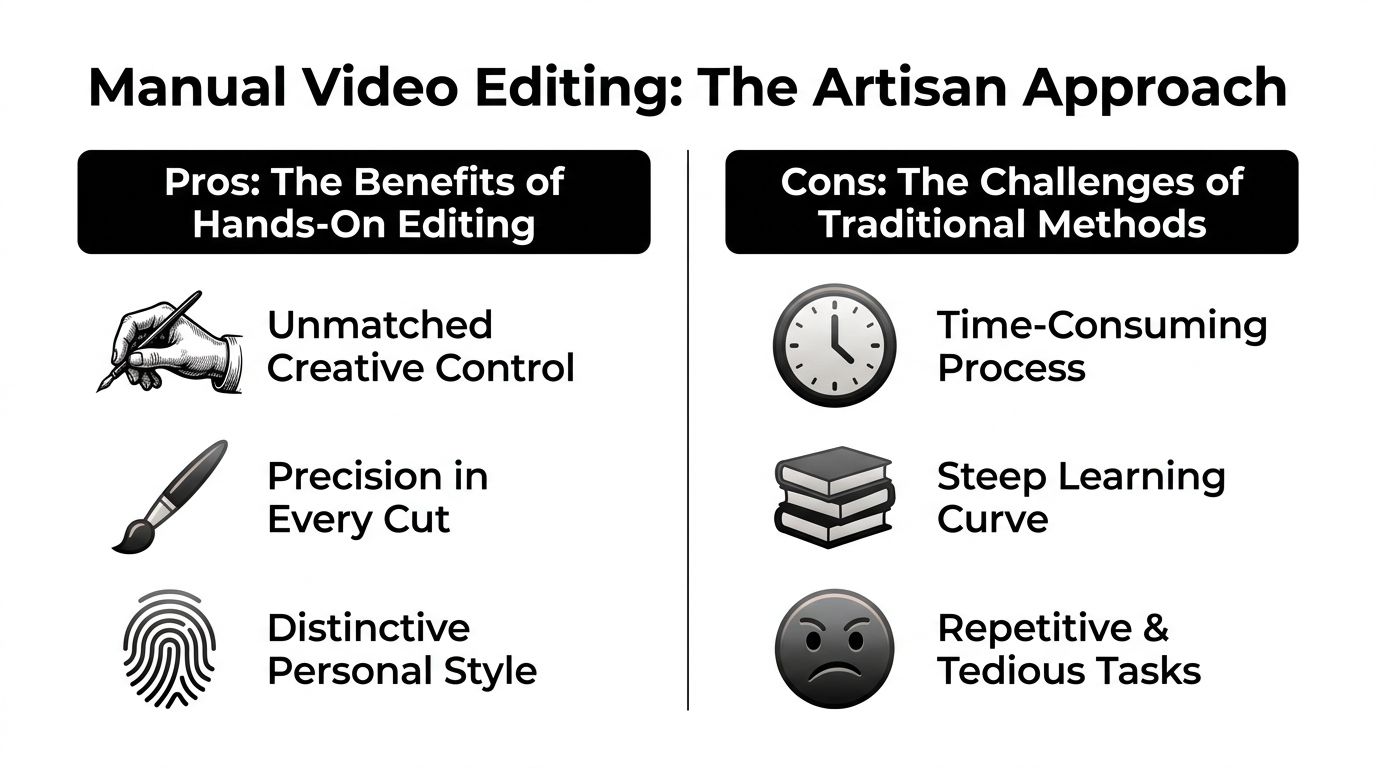
Manual clipping is slower, but it teaches you the skill AI is trying to imitate. If you can't recognize a strong moment yourself, you'll struggle to judge what the machine gives you.
When I hand-cut clips in Premiere Pro or DaVinci Resolve, I don't watch like a normal viewer. I'm not asking whether the full conversation is interesting. I'm asking where the energy changes, where the speaker gets unusually clear, and where the video delivers a self-contained payoff.
What to mark on the first pass
Your first pass should be fast. Don't edit while watching. Just mark moments.
Use timeline markers for things like:
- Strong openings: a sentence that begins with disagreement, surprise, or a direct claim.
- Emotional changes: laughter, frustration, conviction, pause, or emphasis.
- Visual support: a slide, product screen, gesture, diagram, or reaction shot that makes the spoken point stronger.
- Complete answers: a segment where the speaker sets up a point and finishes it.
A useful clip often feels like a micro-story. It opens with tension, develops one idea, and resolves cleanly. That's very different from grabbing a random quote because it sounds smart in isolation.
A practical manual workflow
Here's the hand-built process that still works:
- Watch at speed and mark aggressively. Use markers every time you hear a possible hook, not only the obvious ones.
- Build selects. Pull marked moments into a separate sequence so you can compare them quickly.
- Test the first line. If the opening doesn't create curiosity fast, trim deeper.
- Cut for one idea. If a clip tries to teach three things, it usually weakens all three.
- Check the ending. The last second should feel intentional, not chopped.
Practical rule: If a clip needs too much setup from the original episode, it's probably not a clip yet.
Where manual editing still wins
Manual editing is still the best choice when the clip is high stakes. Brand campaigns, keynote excerpts, product launches, and founder interviews often need taste, restraint, and timing that automation can miss.
A human editor is better at reading context like:
- Subtle irony or tone
- The exact frame where a reaction lands
- Whether a pause feels dramatic or awkward
- How much context a claim needs to stay accurate
The downside is obvious. Manual work is repetitive. You spend a lot of time scrubbing, replaying, trimming breath gaps, and testing intros. That's fine for a hero asset. It's not ideal when you need a batch of publishable shorts every week.
Using AI to Summarize a Video in Minutes
AI changed the clipping workflow because it removed the worst part of repurposing long videos: the hunt. Instead of manually scanning a full recording from start to finish, you can upload footage, review proposed moments, and spend your time making choices instead of digging.
That speed only matters if the tool understands video, not just text. The strongest systems combine speech, visuals, and language processing. EnterpriseTube's breakdown of AI video summarization explains the pipeline well: ASR handles transcription, computer vision reads frames and scene changes, and NLP condenses the combined signal into something usable.
What modern AI is actually doing
A lot of people still think AI clipping is just transcript search with auto-subtitles. Good tools do more than that. They look for spoken emphasis, pacing, topic changes, and visually important moments. In practical use, that means the machine is trying to surface the same things a short-form editor would look for manually.
The working sequence is simple:
- Upload a file or paste a YouTube link
- Let the system analyze speech, scenes, and topics
- Review the clips it suggests
- Trim, correct, and export
For creators who want context on editing basics before they lean on automation, these Simply Tech Today tech tips are a solid companion resource. They're useful when you still need to polish clips after generation.
A practical AI workflow for clip generation
The easiest way to summarize video for social is to treat AI as a first-pass producer.
Start with one long-form asset that already has clear talking points. Podcasts, educational videos, webinars, founder interviews, and commentary videos usually work well. Upload it, then review the generated clips with a strict eye.
Here's what I look for first:
| Check | What matters | ||---| | Hook strength | Does the first line make someone stop? | | Standalone clarity | Can the clip make sense without the full episode? | | Visual fit | Does the reframed vertical crop keep the important subject centered? | | Caption quality | Are the subtitles readable and correctly broken? |
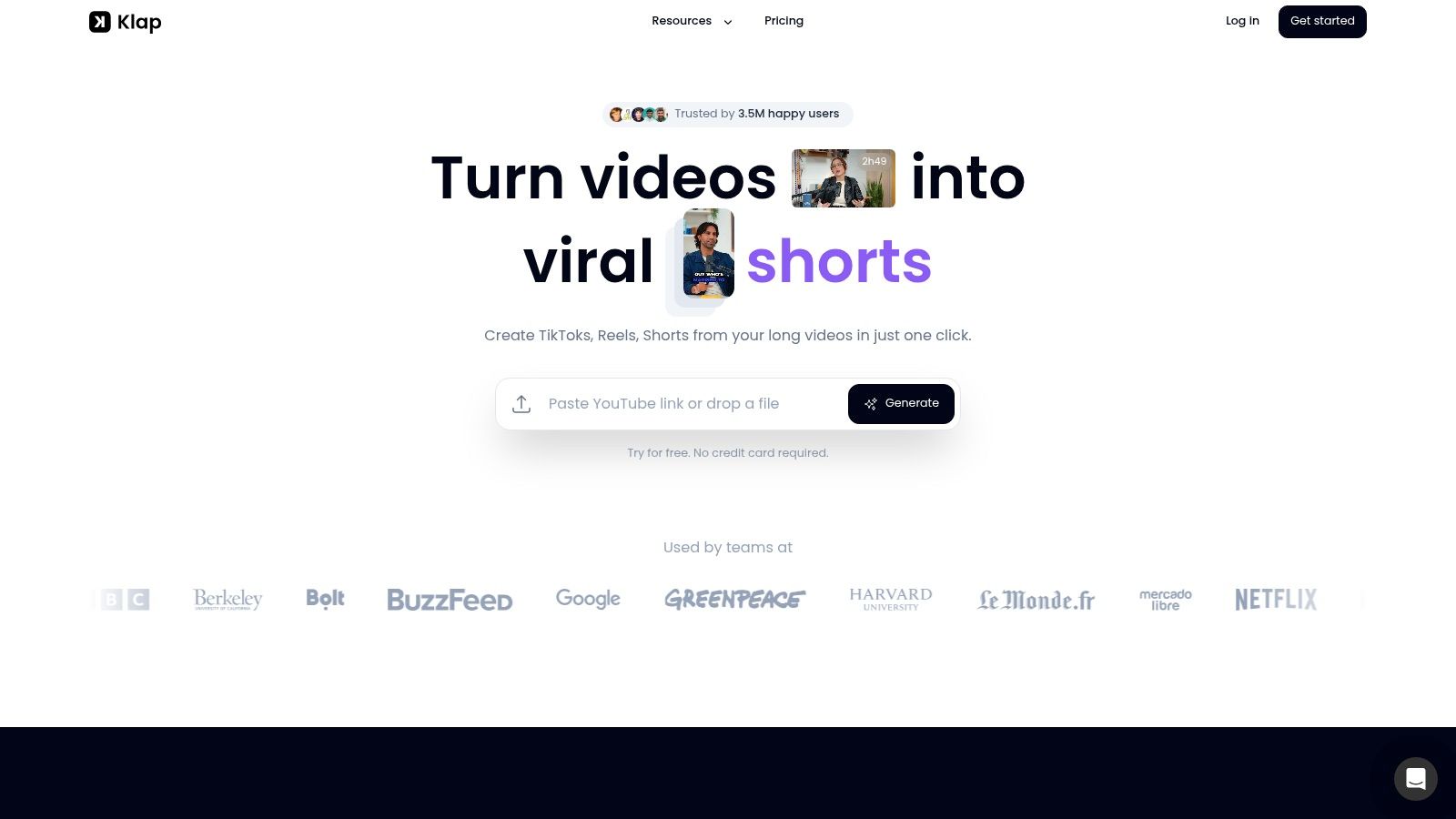
A useful benchmark for output volume comes from Klap's clip generation workflow , which states that a 3-minute YouTube video typically converts into 5 ready-to-publish clips for Instagram or TikTok. That kind of ratio matters because it lets creators estimate whether one recording session can supply a week of short-form content.
The real gain isn't just speed. It's consistency. You can review a batch of candidate moments in one sitting instead of discovering them one by one.
Later in the workflow, the editing view matters more than the upload view. This walkthrough gives a good reference point for what to expect from an AI video summarizer process .
Here's a visual example of the kind of workflow creators now use:
Where AI helps and where it still needs you
AI is strongest when you need breadth. It can surface multiple candidate clips from one source video, reframe for vertical viewing, and generate captions quickly. That's a major upgrade over dragging through a timeline for hours.
It still needs a human for judgment. A machine might find a technically clean excerpt that isn't compelling. Or it might keep a correct sentence that starts too slowly for social. The best workflow is not AI instead of editing. It's AI for discovery, then human refinement for performance.
How to Refine and Polish Your Generated Clips
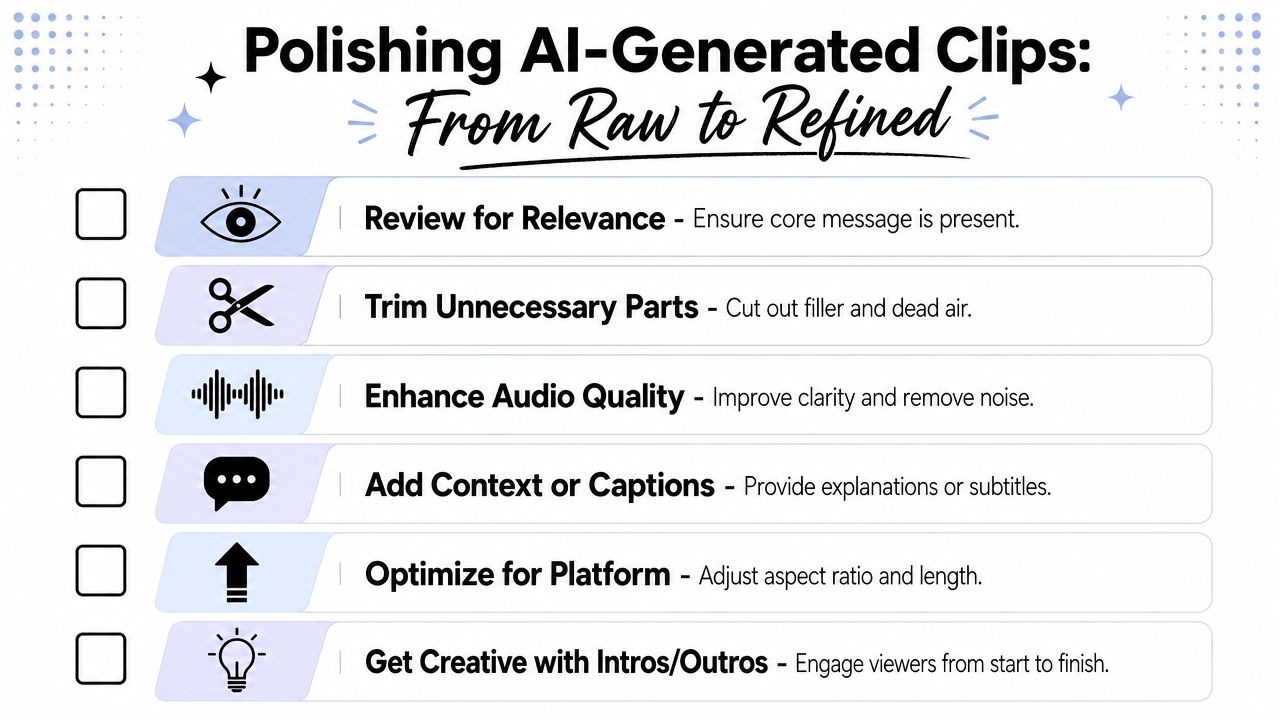
Generated clips are drafts. Some are close to publishable. Many need trimming, caption cleanup, or a better opening frame before they're worth posting.
That last layer matters because even strong AI output can feel generic if you don't shape it for the feed. A clip that's accurate isn't automatically watchable.
Tighten the first seconds
The easiest upgrade is usually the opening. If the clip starts with throat clearing, context-setting, or a weak half-sentence, trim harder.
Ask these questions:
- Does the first line create tension?
- Can the viewer understand the topic immediately?
- Would this opening survive silent autoplay with captions on?
If the answer is no, cut deeper into the moment. Most social clips improve when the first words are blunt, specific, or slightly provocative.
Fix captions and framing before export
Caption cleanup is not optional. Auto-captions save time, but they still need a human pass for spelling, line breaks, punctuation, and tone. If the sentence lands on the wrong word break, the clip feels cheap.
For caption editing and readability choices, this guide to video captions is worth keeping nearby.
Then check the frame. Vertical crops often need small corrections, especially when there are multiple speakers, product screens, or important on-screen text.
A good polish pass includes:
- Trim dead air: remove slow starts, empty pauses, and trailing silence.
- Correct subtitle phrasing: keep it readable, not mechanically literal.
- Protect visual context: don't let the crop cut off a slide title, demo area, or facial reaction.
- Choose a strong cover frame: the thumbnail should preview the tension or payoff.
Add the human editorial layer
At scale, AI has already proven useful for repurposing workflows. Klap reports being trusted by over 800,000 creators and businesses , which tells you these systems are good at surfacing workable moments across many content styles. But surfaced doesn't mean finished.
A generated clip becomes a good post when an editor gives it intent.
That editorial layer is usually simple. Add a clearer title on screen. Cut one extra sentence at the top. Replace a muddy caption phrase with plain language. Pick the frame where the speaker looks engaged rather than mid-blink. Those details are small, but they shape whether the clip feels native and deliberate.
Final Quality Checks Before You Publish
At this juncture, creators either protect their standards or sabotage them. A decent clip can still fail if the captions are wrong, the crop drifts, or the cut lands awkwardly.
AI is accurate enough now that you don't need to review every second with the same paranoia as before. Research published in Scientific Reports shows advanced AI summarization frameworks achieve an F-score of 83% on benchmark datasets, with precision reaching 89% on YouTube data in a query-driven setup, which is why strong systems reduce manual review time when you assess AI video summarization accuracy . But accuracy isn't perfection. Final checks still belong to you.
Run a mission-control pass
Before you publish, review the clip like a stranger would. No context. No memory of the full recording. Just the post in front of you.
Use a simple pre-flight checklist:
- Caption accuracy
Check names, product terms, and any spoken phrasing that sounds slightly off. Auto-generated text often misses the words that matter most. - Speaker tracking
If the clip cuts between people, make sure the crop follows the active speaker and doesn't hold on the wrong face. - Audio transitions
Listen at the edit points. Background noise jumps, clipped breaths, or sudden room tone changes make the cut feel amateur. - Visual completeness
If a chart, slide, or interface matters, confirm it's visible long enough to understand.
The last checks creators skip too often
A few checks catch most embarrassing mistakes:
- Start and end confidence: does the clip begin decisively and end like a finished thought?
- On-screen text review: is every title, caption, and overlay spelled correctly?
- Silent-viewing test: does the clip still work with the sound off?
- Platform fit: does the framing look right in a vertical feed, not just in the editor preview?
If you wouldn't send the clip to a sponsor, client, or collaborator as-is, it isn't ready to post publicly either.
That mindset keeps quality high without turning review into a bottleneck. You're not rebuilding the clip from scratch. You're protecting the details that affect trust.
Start Repurposing Your Content Library Today
Most creators don't have a content creation problem. They have an extraction problem. The raw material already exists in old episodes, interviews, webinars, demos, and recordings that were published once and then forgotten.
The smart move is to stop treating long-form video as a single asset. One upload can become a source library. One conversation can produce multiple hooks, answers, reactions, and teaching moments if you review it with clipping in mind.
Pick the right workflow for the job
Manual editing and AI clipping aren't rivals. They solve different problems.
Use manual editing when:
- The clip is high stakes
- Tone and timing need close control
- You're crafting one standout asset
Use AI when:
- You need volume
- You want to scan a backlog fast
- You're building a repeatable short-form pipeline
The reason AI clipping has become so useful is simple. The core of modern systems is the automated detection of viral hooks, which means moments of compelling dialogue, emotional peaks, or striking visuals instead of random cuts, as described in this overview of AI clip discovery and hook detection . That replaces the slowest part of the old workflow: endless scrubbing.
Your next move
Don't start with a brand-new shoot. Start with one existing long video that already has substance. A podcast episode, webinar, interview, or teaching video is enough.
Review it with fresh eyes. Look for the moments that can stand alone. If you want full control, hand-cut two or three clips. If you want speed and scale, run the same source through an AI workflow and compare the outputs. You'll learn fast where each method helps.
The shift is small, but it changes everything. You stop asking, “How do I make more content?” and start asking, “What's already in my library that I haven't utilized yet?”
If you want to turn long videos into social-ready shorts without spending hours scrubbing timelines, try Klap . It's built for creators, marketers, podcasters, and teams who want to repurpose existing video into vertical clips with captions, reframing, and fast review workflows.