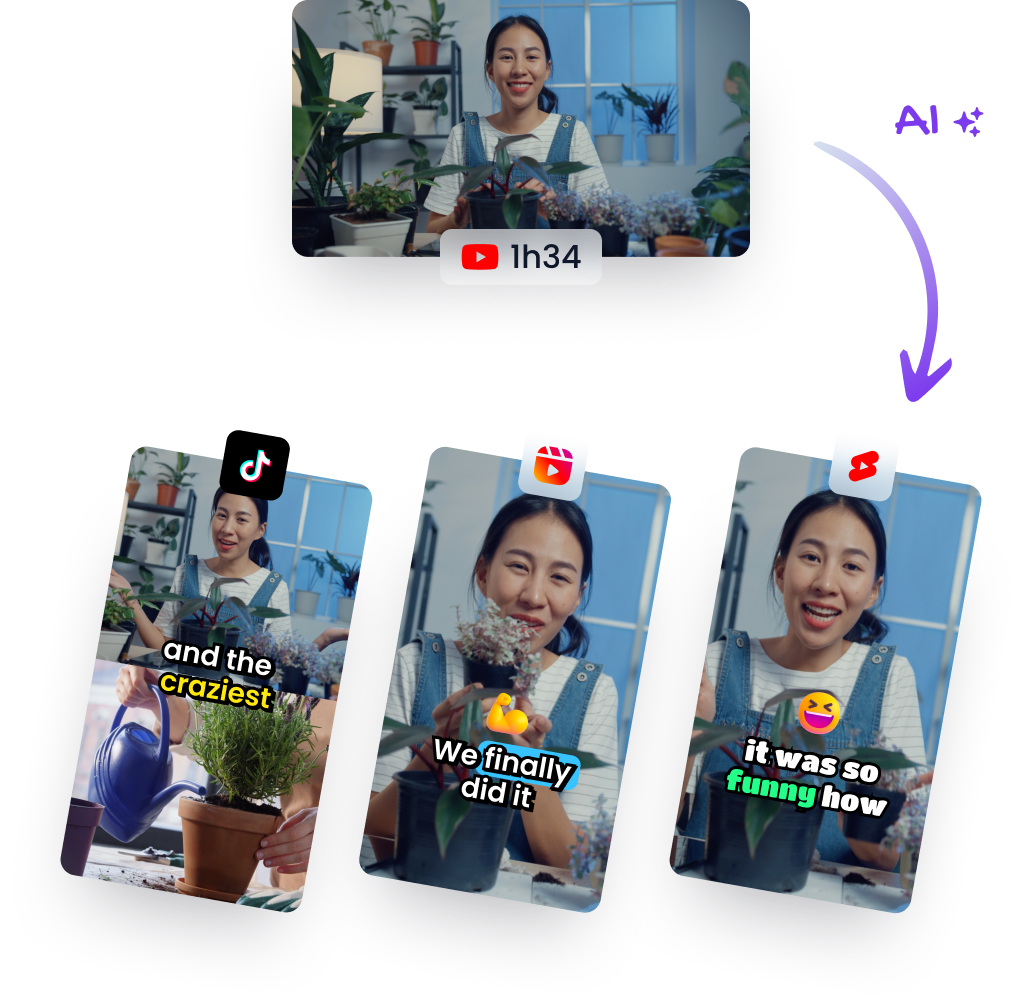
Explore youtube video cutting online to create viral Shorts
Other
Turning your long-form videos into a steady stream of social-ready clips isn't just a "nice to have" anymore—it's essential for growth. The most efficient way to achieve this is by using an online tool to cut your YouTube videos online. The process is simple: you paste a YouTube link into a web-based editor, and from there, you can trim, caption, and reformat key moments for platforms like YouTube Shorts, TikTok, and Instagram Reels. This is the core strategy modern creators use to multiply their reach from every single video they produce.
Why Online Video Cutting Is Your New Growth Engine
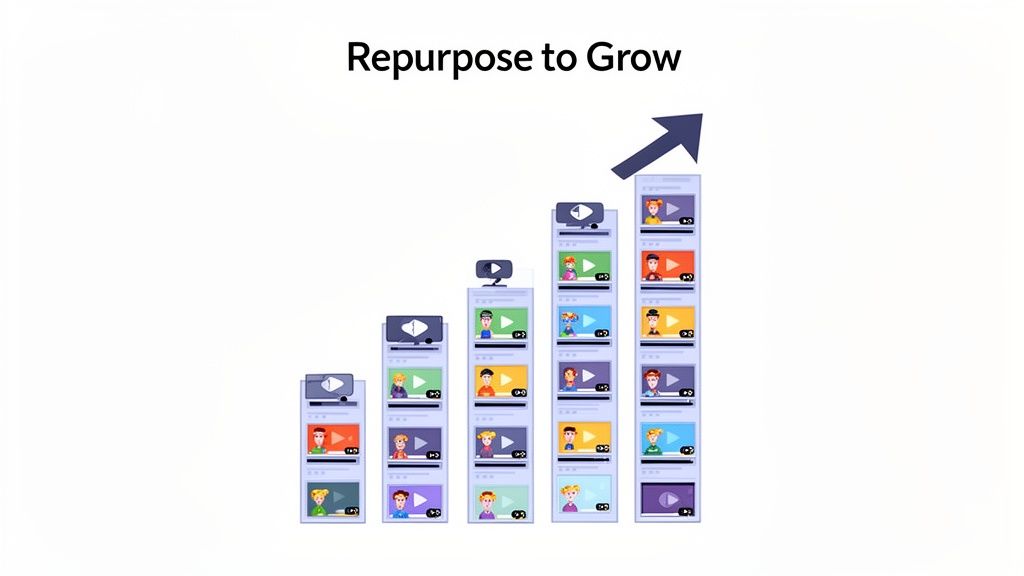
In a world of infinite content, attention is the only currency that matters. The way people watch videos has fundamentally changed. We've shifted from long, dedicated viewing sessions to quick, high-impact moments. This isn't just a passing trend; it's the new standard, driven by the dominance of short-form video.
The data confirms this seismic shift. The short-form video explosion has rewired our consumption habits, with YouTube Shorts alone now pulling in over 70 billion daily views. This astronomical number shows just how hungry audiences are for bite-sized content, signaling a massive opportunity for creators who adapt.
For the first time ever, an hour spent watching Shorts can generate more ad revenue than an hour watching traditional videos, which is reshaping the entire creator economy. If you're curious, you can dig deeper into these video marketing statistics to see just how big this shift really is.
Multiply Your Content Without Burning Out
The biggest win here is efficiency. Instead of grinding to film new content for every single platform, you can mine your existing long-form videos for gold.
Think about it: a single 20-minute deep dive could easily contain five to ten powerful, shareable moments perfect for Shorts. This approach gives you actionable results:
- Maximize Your ROI: Squeeze every last drop of value from the time and energy you've already invested. A video that took 10 hours to produce can now fuel a week's worth of social media content.
- Stay Consistent: Keep your social feeds buzzing with a steady stream of content, which tells the algorithms that your channel is active and worth promoting.
- Test Ideas Fast: Use short clips to see what topics, hooks, or formats your audience loves before you commit to a full-length video on the subject. A clip with a 120% audience retention rate is a strong signal to double down on that topic.
The goal is to work smarter, not harder. By repurposing, you’re not just recycling content—you're creating brand new doorways for people to discover you and your main channel.
To help visualize how these two content types work together, here’s a quick breakdown of their strategic goals.
Strategic Goals of Long-Form vs Short-Form Content
AttributeLong-Form Video (e.g., 20-min Deep Dive)Short-Form Clip (e.g., 60-sec Short)
Primary Goal
Build authority, provide deep value, foster loyalty
Drive discovery, capture attention, generate buzz
Audience Intent
Seeking in-depth knowledge or entertainment
Looking for quick, engaging, and shareable moments
Growth Impact
Cultivates a core, dedicated community
Attracts a wide, top-of-funnel audience
Monetization
AdSense, sponsorships, affiliate links, products
Shorts fund, brand awareness, drives traffic to long-form
Content Lifecycle
Longer shelf-life, evergreen potential
Short-lived, high-velocity, trend-dependent
As you can see, they aren't competing—they're complementary. Your long-form content builds the foundation, and your short-form clips act as the billboards that bring people in.
This strategy turns your entire back catalog into a perpetual content machine. That old webinar, a podcast interview, or a product tutorial can be systematically broken down into dozens of shareable assets. Each clip acts as a tiny ad for your brand, driving traffic back to your main videos and building a much stronger community across every platform you're on. This isn't just about cutting video; it's about strategically scaling your presence.
Letting AI Find Your Most Viral Moments
Let's be real—your best clips are already hiding inside your long-form videos. The true challenge isn't creating new content from scratch; it's digging through hours of footage to find those golden nuggets. This is where a smarter approach to youtube video cutting online completely changes the game, swapping manual labor for AI-powered discovery.
Instead of burning your weekend scrubbing through timelines, imagine an AI doing the heavy lifting for you. Modern tools don't just guess; they analyze your video's transcript, vocal intonation, and topic relevance to pinpoint the exact segments with the highest potential to go viral. You're trading tedious work for strategic output.
So, what is the AI actually looking for? It's trained to spot specific signals that naturally grab human attention. Actionable insights it uncovers include:
- Powerful Hooks: The first three seconds are everything. The AI flags questions, bold statements, or intriguing phrases that are proven scroll-stoppers. For example, it might identify "This is the one mistake 99% of people make..." as a high-potential hook.
- Emotional Peaks: It listens for shifts in your tone—laughter, moments of high energy, or a passionate delivery—that signal a compelling point is being made.
- Concise Takeaways: The system identifies self-contained ideas or tips that deliver immediate value, no extra context needed.
The Need for Speed and Precision
This AI-first approach is more critical than ever, thanks to how platforms like YouTube now judge new content. The algorithm gives a new video a tiny window—roughly 90 minutes to one day maximum—to prove its worth with click-through rates and watch time. If it doesn't get that immediate pop, its distribution gets throttled. Hard. You can get more insights on this intense algorithmic pressure on YouTube.com .
That pressure makes finding your most powerful clips a non-negotiable part of any serious content strategy. You simply don't have the time to guess what might work. You need a system that consistently surfaces the winners.
Your goal is to feed the algorithm a steady diet of high-performing clips. Using AI to find these moments isn't just a time-saver; it's a strategic advantage in a ridiculously competitive space.
Here’s a glimpse of what an AI-powered clip generator's dashboard often looks like. It serves up curated, ready-to-edit short video suggestions on a platter.
This interface immediately presents several proposed clips, complete with transcripts and virality scores, letting you quickly review and pick the best options to move forward with.
How AI Transforms Your Workflow
By letting technology handle the initial discovery, you can finally shift your focus from searching to refining. In the quest to let AI find your most viral moments, exploring methods for automating short form content creation is a massive step toward scaling your output without burning out.
This is how you stop being a manual video editor and start acting like a strategic curator of your own best content. With an AI short video generator, you can turn your existing library of long-form videos into a powerful engine for audience growth. It’s the key to maintaining a consistent, high-impact presence on platforms where attention is currency and first impressions are everything.
How to Trim and Refine Clips Like a Pro
Once the AI serves up a batch of potential clips, it’s time for you to step in. This is where the real magic happens—transforming a raw, machine-identified segment into a polished, self-contained story that can stand on its own. Your job is to make every single clip feel intentional, from the first frame to the last.
Think of the AI's suggestions as high-quality clay. You’re the artist who shapes it into a finished piece. The most important part of this process? Nailing the start and end points.
This is the bedrock of professional youtube video cutting online. A weak start kills a clip's momentum before it even gets going. The best short videos often jump right into the middle of a sentence or just before a powerful statement, creating instant curiosity.
The whole workflow is designed to get the heavy lifting out of the way so you can focus on the creative touches.
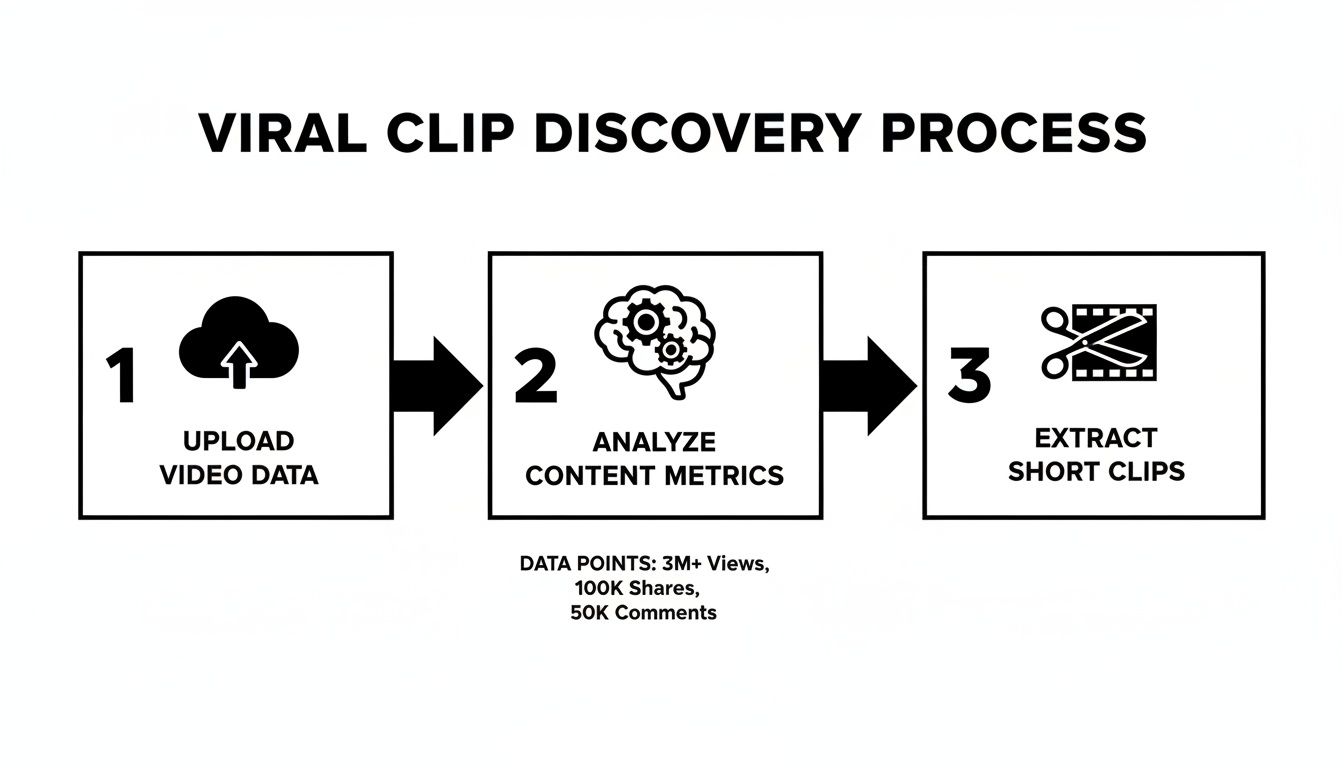
This process—uploading, letting the AI analyze, and then extracting clips—lets you jump straight to the fun part: the creative refinement that makes a clip shine.
Fine-Tuning Your Start and End Points
Your clip's first second is its hook. Don't be afraid to trim so the clip starts just milliseconds before a word is spoken. This creates a much punchier, more energetic opening that grabs attention immediately on a fast-scrolling feed.
Likewise, the ending needs to feel final and satisfying, almost daring the viewer to hit replay. You want to end on a strong point, not a trailing thought. Be ruthless and cut any filler words like "so," "um," or "yeah" that soften the impact. For a deeper dive into the art of the perfect cut, check out our dedicated online video trimmer tool .
A well-edited short clip doesn't just start and stop; it has a narrative arc, however brief. Your job is to find that tiny story and make it as compelling as possible.
Add Dynamic Captions for Silent Viewers
With over 85% of social media video watched on mute, captions aren't just a nice-to-have; they're non-negotiable. But we're way past basic text overlays. Modern tools offer dynamic, auto-generated captions that are an engagement tool in their own right.
Here’s why they work so well:
- Word-by-Word Highlighting: The current word being spoken is often highlighted in a different color, actively guiding the viewer's eye and keeping them locked in.
- Animated Styles: Captions can pop, slide, or appear in stylish fonts that match your brand, adding another layer of visual interest that static text just can't match.
- Emoji Integration: Smart AI can even suggest relevant emojis to sprinkle into your captions, injecting personality and emotional context without you lifting a finger.
This kind of visual stimulation is exactly what you need to hold attention on a crowded feed. A boring block of text at the bottom of the screen just doesn't cut it anymore.
Reframe Your Shot for a Vertical World
Your original YouTube video was probably filmed in a horizontal 16:9 aspect ratio. Just slapping that into a vertical 9:16 frame gives you those hideous black bars—a dead giveaway of low-effort repurposing.
This is where AI-powered face tracking completely changes the game. The software automatically finds the main speaker and essentially becomes your virtual camera operator. It intelligently pans and zooms to keep the subject perfectly centered, even if they move around.
This creates a dynamic, natively vertical video without you having to mess with manual keyframes. If you have multiple speakers, you can usually just select which person to follow, making sure the visual focus always matches who's talking. This one feature alone can elevate the production quality of your clips tenfold, making them look like they were professionally shot for platforms like TikTok and Reels from the start.
Optimizing Shorts for Maximum Reach
Look, a perfectly trimmed clip is a great start, but it's only half the job. The real magic happens when you package that clip to get discovered. The difference between a video that gets 100 views and one that hits 100,000 often comes down to how you frame it—from the headline to the hashtags.
Think about it. Your hook is in a constant battle for attention against an endless scroll. What you write in those first two seconds is a direct challenge to the viewer's thumb, daring them to stop.
Writing Headlines That Stop the Scroll
Forget trying to be clever. On a fast-moving feed, clarity and curiosity are everything. Your title needs to make an immediate promise or ask a question that people feel an urgent need to answer.
A killer hook builds just enough intrigue to get someone to commit, but it doesn't give the whole game away. For instance, instead of a flat title like "My Thoughts on Productivity," you could try something far more specific and provocative:
- Problem-focused: "Your To-Do List Is Lying to You"
- Contrarian take: "Why I Deleted All My Productivity Apps"
- Intriguing promise: "The 10-Second Habit That Saved Me 5 Hours a Week"
Headlines like these create an information gap. People will stick around simply because they have to know the answer or see the result you promised. Slapping this text directly onto the video's first few frames is key, ensuring even people watching on silent get the message loud and clear.
Think of your headline as the movie poster for your 30-second film. It has one job: to get people in the door. Make it count.
This initial text overlay is also your best shot at adding some visual punch. Many online tools let you add bold, eye-catching text that works with your captions to grab attention. For a deeper dive on this, check out our guide on how to add captions to YouTube Shorts.
Crafting a Winning Description and Hashtag Strategy
While your video does the heavy lifting, the description and hashtags give the algorithm the context it needs to find your audience. Keep the description short and sweet—a quick summary that reinforces the video's core idea with keywords people are actually searching for.
For hashtags, think broad and niche. A good mix tells the platform what your content is about and who it’s for. Here's an actionable formula:
- Broad (1-2): Use high-volume tags like
#creatoradviceor#entrepreneur. - Specific (2-3): Add niche tags directly related to your clip, like
#videopodcasttipsor#contentrepurposing. - Platform (1): Always include the platform tag, like
#shortsor#tiktok.
A repeatable workflow is your best friend here. For creators working with long-form content, there are smart ways to turn lengthy videos into a steady stream of engaging shorts. This is especially true for interview formats, which we break down in our guide on turning a " Video Podcast To Shorts ".
Finally, remember that consistency is the engine that drives growth. Posting on a regular schedule—whether it's three times a week or once a day—trains the algorithm to expect fresh content from you. That rhythm, combined with smart packaging, is what turns your repurposed clips from random uploads into a reliable machine for growing your channel.
Solving Common Video Cutting Problems
Even the most buttoned-up YouTube video cutting online workflow can hit a snag. Whether you're a seasoned pro or just getting started, running into little glitches is just part of the game. The key is knowing how to fix them fast so your content quality never takes a hit and you can get back to creating.
One of the most common headaches is your audio falling slightly out of sync after a trim. This usually happens because of tiny mismatches in audio and video frame rates during processing. Don't panic. The fix is often as simple as nudging the start or end point of your clip by a fraction of a second, which snaps the tracks right back into alignment.
Another classic issue is a noticeable drop in video quality after you export. This almost always comes down to your export settings not matching the source footage, causing the file to be over-compressed. A good rule of thumb is to export at the highest resolution the platform supports—for Shorts and Reels, 1080p at 30 FPS is a solid, reliable target.
Handling Captions and Reframing Glitches
AI-generated captions are incredible time-savers, but they're not perfect. You’ll occasionally find that the timing is just a little off, or a specific word gets transcribed incorrectly.
Most decent online editors let you click right into the caption timeline to manually adjust the start and end times or just type in a quick correction. It’s a small tweak that makes sure every word lands exactly when it should.
Similarly, AI-powered face tracking can sometimes get confused, especially in clips with multiple speakers. If you notice the frame is following the wrong person, look for a feature that lets you manually select the primary subject. This tells the AI who to keep centered, solving the problem in a single click.
A polished final product is the sum of small, intentional adjustments. Spending an extra minute to fix a caption or re-center a shot is what separates good content from great content.
When Your Video Link Fails
Every so often, you’ll paste a YouTube link into your tool of choice only to be met with an error message. It’s frustrating, but it’s usually an easy fix. Here are the most common culprits:
- Video Privacy: The video might be set to "Private" or "Unlisted." For any online tool to access it, the video needs to be "Public."
- Regional Restrictions: Some videos are geo-blocked, which can stop an online editor from being able to access the file.
- Temporary Server Issues: Sometimes, the problem isn’t on your end at all—it’s with the tool itself. Give it a few minutes and try again.
If a link consistently gives you trouble, the most reliable workaround is to download your own video from YouTube Studio and upload the file directly. This completely bypasses any linking issues and gives the tool direct access to the source media. Taking these quick troubleshooting steps ensures no technical hiccup ever gets in the way of creating your next viral clip.
Got Questions? We've Got Answers
Diving into the world of YouTube video cutting online can bring up a few questions, especially when you're trying to be smart and efficient with your time. Here are some straightforward answers to the stuff we hear most often, designed to get you on the right track and turn your existing content into a serious growth engine.
What's the Best Online Tool for Cutting YouTube Videos Into Shorts?
For creators who are all about speed and getting results, an AI-powered tool like Klap is usually the best bet. It's a totally different league from traditional video editors.
Instead of you having to do all the manual work, these platforms don't just cut the video. They actually analyze it to find the most engaging parts automatically, slap on some dynamic captions, and perfectly reframe the shot for vertical screens. It saves an insane amount of time and uses AI to guess which clips are most likely to pop off.
Can I Legally Use Clips From Someone Else's YouTube Video?
Almost always, the answer is no. Chopping up and reposting another creator's video without getting their explicit permission is a clear violation of copyright law. The whole strategy in this guide is about repurposing your own content.
Using someone else's footage can get you copyright strikes, your channel shut down, or even legal trouble. The safest and most ethical path is to always work with content you own the rights to.
The whole point of repurposing is to amplify your own voice, not borrow someone else's. Stick to mining your own library of original content—that's where the real gold is.
What's the Ideal Length for a YouTube Short?
YouTube Shorts can technically be up to 60 seconds long, but the real sweet spot for grabbing and holding attention is usually somewhere between 15 and 45 seconds. You want to deliver one complete, valuable idea with zero fluff.
A good rule of thumb:
- For quick tips or a powerful quote, aim for under 20 seconds.
- For more detailed points or mini-stories, 30-45 seconds is a solid range.
Always prioritize high energy and immediate value. That’s what gets viewers to watch to the end and, more importantly, hit that replay button. Clips with an average view duration over 100% are a strong signal to the algorithm that you've found a winning format.
Will Repurposing Old Videos Into Shorts Hurt My Channel?
Absolutely not. In fact, it's one of the smartest ways to kickstart your channel's growth. When you create Shorts from your longer videos, you open up brand-new ways for people to discover your content. A Short that goes viral can introduce your channel to thousands of new viewers who might then stick around to watch your full-length videos.
This strategy breathes new life into your back catalog and tells the algorithm you're an active creator. It's a win-win that can boost your overall reach, views, and subscriber count by turning old content into fresh opportunities.
Ready to stop guessing and start creating? Klap uses AI to pinpoint the most viral-worthy moments in your long-form videos, turning them into ready-to-publish shorts in minutes.
Try it for free and see how easy it is to scale your content.