Why Am I Shadowbanned On TikTok? 2026 Guide
Other
You post a clip you’re sure should work. The hook is solid. The edit is clean. The topic fits your niche. Then the views stop almost immediately.
You refresh analytics. You check comments. You search the hashtag from another account. Nothing looks normal, and your brain goes straight to the same question every creator asks at this point: why am i shadowbanned on tiktok?
That question usually shows up after a specific kind of pattern. Not one bad post. Not a random dip. It’s when several new videos underperform in a way that feels mechanical, not creative. If you repurpose content from podcasts, webinars, interviews, or YouTube videos, that fear gets stronger because you know TikTok can be suspicious of content that looks recycled, over-automated, or too polished in the wrong way.
The frustrating part is that TikTok rarely explains what happened clearly. The useful part is that shadowban patterns do leave fingerprints. If you know where to look, you can usually tell whether you’re dealing with a real visibility restriction, a weak post, or a softer form of throttling caused by how your content was edited and packaged.
That Sinking Feeling When Your TikTok Views Flatline
A lot of creators hit the same wall the same way. A video gets stuck at a few hundred views, then the next one does the same, and then the next. At first, it feels like bad luck. After that, it feels personal.
If you’re in that spot right now, you’re not overreacting. A sudden drop in reach is stressful because TikTok normally gives even average videos some chance to travel. When that stops happening, creators start second-guessing everything. Was it the caption? The hashtags? The audio? The edit? The fact that it was repurposed from a longer video?
That anxiety gets worse when you’re using editing or repurposing tools. Many creators assume the tool itself caused the issue. Usually, that’s the wrong conclusion. The bigger problem is how the content was prepared, how often it was posted, and whether it looks valuable to TikTok or looks like scaled content production with too little human judgment.
I’ve seen creators panic-delete half their feed, upload six replacements, then bury the account even deeper. That reaction is understandable, but it usually makes things worse. TikTok responds to patterns, and panic is a pattern.
If you’ve been trying to improve your short-form workflow, it helps to compare your setup against other TikTok editing apps for creators so you can separate smart production choices from risky publishing habits.
The worst move after a suspected shadowban is speed. Most accounts recover faster when the creator gets more deliberate, not more active.
There is a workable path here. You need to identify whether this is a true suppression issue, understand what likely triggered it, and fix your publishing behavior before you post again.
What a TikTok Shadowban Really Is and What It Is Not
Creators use the word shadowban for several different problems, and that confusion leads to bad decisions. In practice, what creators usually call a shadowban is a drop in algorithmic trust. TikTok keeps your account live, but it becomes far less willing to distribute your videos to new viewers.
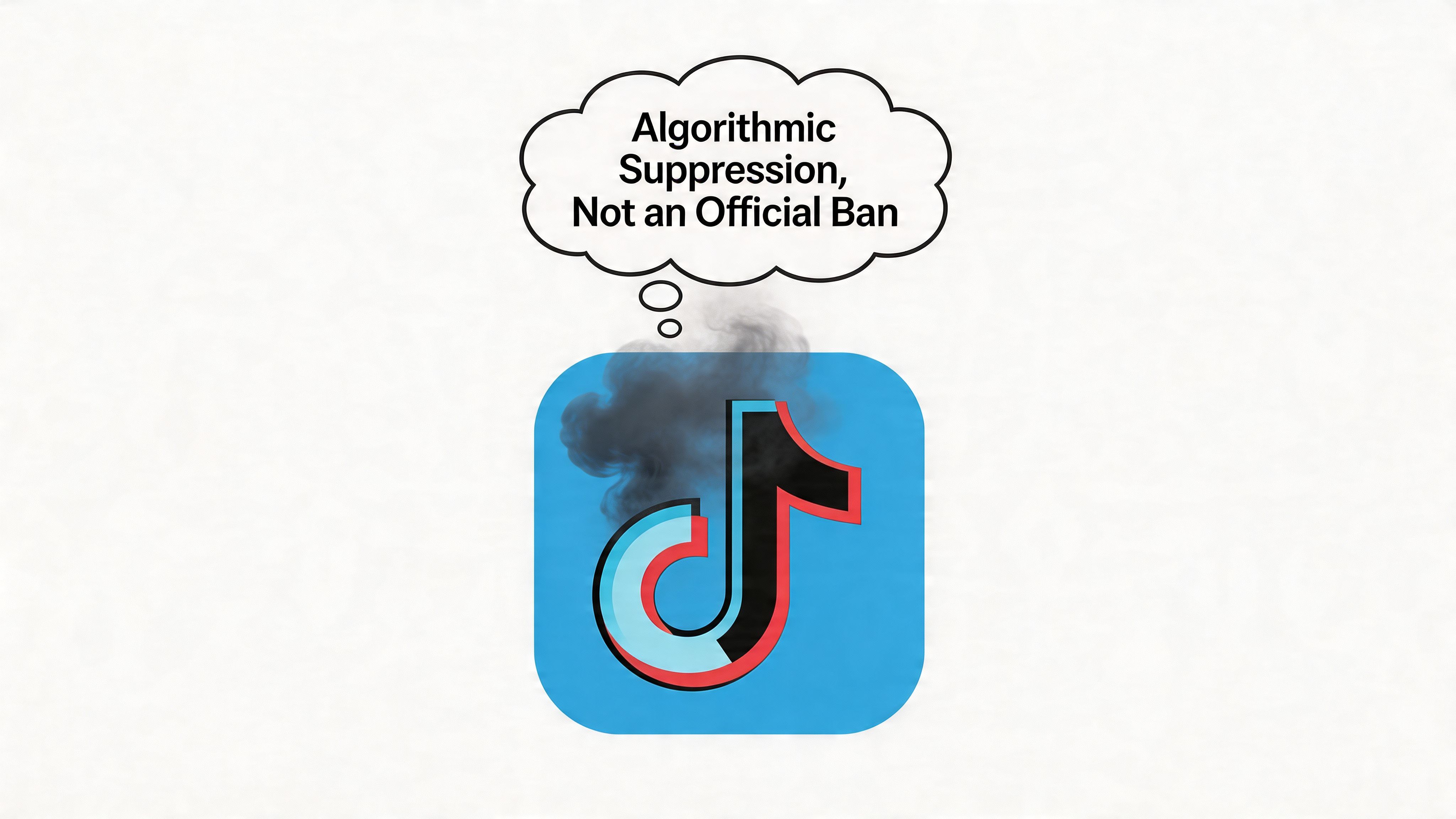
Visibility gets restricted before your account gets punished openly
For many creators, the confusing part is that the account still looks normal on the surface. You can log in, post, reply, and see the video live on your profile. What changes is distribution. TikTok can reduce how often your content reaches the For You Page, search results, or hashtag feeds without giving you a dramatic suspension notice.
That is why the experience feels so strange. Nothing appears broken, but reach dries up.
I explain it to clients as a trust problem inside a recommendation system. If your recent posting behavior, editing patterns, captions, reused clips, or engagement signals look risky, TikTok can treat the account more cautiously for a period of time.
Repurposing creators often trip up on this specific point. Tools like Klap do not automatically cause bans. The risk comes from publishing repurposed clips that still look mass-produced, repetitive, watermarked, low-context, or too similar across platforms. The tool speeds up production. Your strategy still determines whether the output looks native and trustworthy.
A shadowban is different from ordinary underperformance
One weak post does not prove suppression. Every experienced TikTok creator has videos that miss for simple reasons: the hook is soft, the topic is tired, the pacing is off, or the audience was not interested.
A trust-related distribution problem shows up differently. The issue is less about viewers rejecting the video after seeing it and more about TikTok limiting how broadly it gets tested in the first place.
Use this distinction:
- Normal flop: TikTok gives the post some distribution, then performance signals stay weak.
- Suppression pattern: discoverability drops across posts, and reach feels constrained before the content gets a fair test.
- Gray-area throttling: the account is still active, but certain videos get reduced because they resemble spam, recycled content, copyright risk, or aggressive automation.
If you want a practical framework, these quick tests to diagnose a shadowban are useful because they separate a bad post from a broader account-level reach issue.
Why creators misread what is happening
TikTok evaluates content and behavior together. A clip can be harmless in intent and still look risky to an automated system. That happens often with repurposed content. I see it when creators batch-produce twenty shorts from one long video, keep the same visual structure, repeat near-identical captions, and publish too fast after making edits. From the creator side, that feels efficient. From the platform side, it can look synthetic.
That distinction is important because blaming Klap, CapCut, or any other repurposing tool misses the core issue. The platform responds to signals. If you use a repurposing tool to create distinct, cleaned-up, platform-native videos with varied hooks and human review, you lower the chance of triggering trust issues. If you use it to flood your account with lightly altered duplicates, you raise that chance.
Practical rule: TikTok does not grade your intentions. It grades the signals your content and account behavior send.
Diagnosing a Shadowban The Data-Driven Signs
You post a clip that should have done fine. The hook is solid, the edit is clean, and it matches videos that usually pull steady reach. Then the views crawl, comments barely show up, and traffic from discovery seems to vanish. That is the point where creators usually assume a shadowban. The better move is to verify what changed inside analytics.
Start with distribution, not raw views.
Check whether TikTok is still testing your videos
A weak post can still be healthy if TikTok pushed it into For You Page testing and the audience did not respond. A restricted post often looks different. Discovery traffic falls off, views come mostly from your profile or existing followers, and multiple uploads start showing the same pattern.
That distinction matters a lot for creators who repurpose content with tools like Klap. The tool itself is not the problem. The issue is that batches of clips from one source video can end up looking too similar in framing, captions, subtitles, or pacing. If several posts send the same recycled signals, TikTok may limit distribution before the content gets a fair shot.
The signs that actually matter
One signal alone is not enough. Look for a pattern across several recent posts.
- For You Page traffic drops out on new uploads: TikTok is no longer giving your content normal discovery testing.
- Views come from profile visits or followers instead: Existing audience traffic replaces broader distribution.
- Search or hashtag visibility breaks: You cannot find the post where it should reasonably appear.
- Performance stalls across multiple videos: The same ceiling shows up again and again, even on different topics.
- Follower growth freezes: New content is no longer bringing in fresh viewers.
The cluster matters more than any single metric. One bad post is common. Four or five uploads with the same restricted distribution pattern usually point to an account trust issue, a content classification issue, or both.
Shadowban vs low engagement a quick comparison
SymptomLikely a ShadowbanLikely Just Low Engagement
FYP traffic
Missing on new posts
Present, but weak
Hashtag search visibility
Content often does not show
Content appears but gets little interaction
Follower growth
Flat or falling
Slower than usual
View pattern
Stops early and repeats across uploads
Varies post to post
Repurposed clips
Several similar edits underperform in the same way
One version misses, another still gets tested
Use TikTok's own checks before you change your strategy
Open TikTok, go to Settings, then TikTok Studio, then Account Check. If a post is limited or under review, start there. That is more useful than guessing.
If you want a second opinion outside the app, these quick tests to diagnose a shadowban are a helpful checklist because they force you to check search visibility, discovery traffic, and repeat suppression across posts.
One more practical note. If you use Klap or another repurposing workflow, review your last ten uploads side by side. If they share the same intro structure, subtitle style, crop, and caption formula, your problem may be pattern recognition, not punishment. In that case, recovery starts with changing the publishing strategy, not blaming the software.
The Top 7 Reasons Your Account Was Flagged by the Algorithm
A flagged account usually reflects a trust problem. TikTok saw something in your content, posting behavior, or editing pattern that looked risky, low-quality, or too repetitive to test widely.
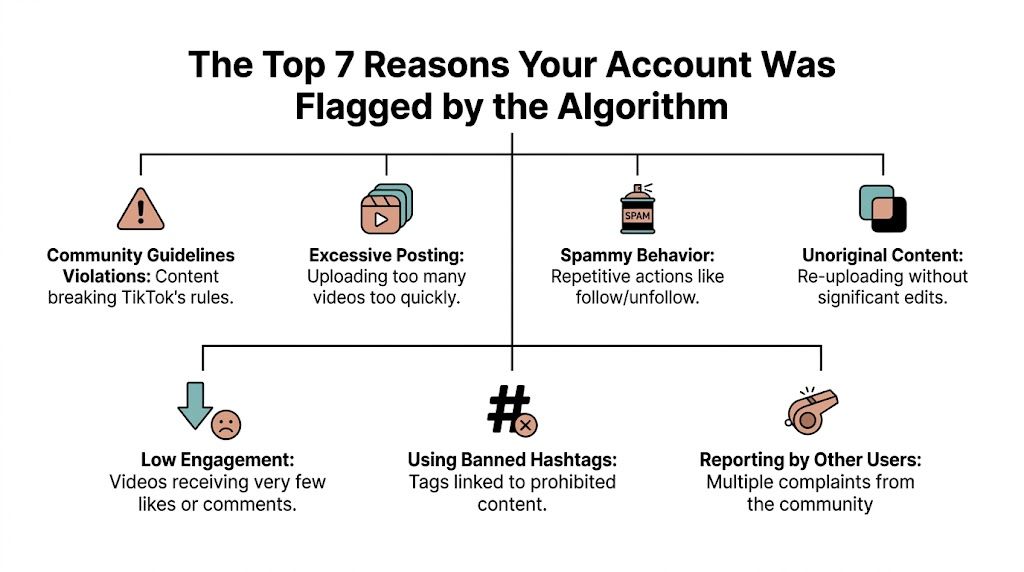
1. Community guideline issues that look small to you but risky to TikTok
A lot of creators get stuck here because they judge the post by intent. TikTok judges it by signals. A joke, a visual reference, a phrase in on-screen text, or a framing choice can be enough to limit distribution if the system reads it as unsafe, misleading, or borderline sexual.
TikTok’s own Community Guidelines make that clear. Enforcement is not limited to obvious violations. Content can be restricted because it sits too close to a policy line.
2. Behavior that looks automated or manipulative
Reach drops. You post more. You refresh analytics constantly, reply in bursts, follow a wave of accounts, then start deleting underperformers. I see creators do this every time they panic, and it often makes the account look less trustworthy.
That pattern gets worse if you also rely on scheduling stacks, engagement pods, or third-party TikTok automation software . The tool itself is not the issue. The issue is behavior that resembles scripted growth tactics instead of normal audience interaction.
3. Hashtags and captions that do not match the video
TikTok uses captions, text overlays, audio, and hashtags together to classify a post. If those signals conflict, trust drops.
Common mistakes include irrelevant trending tags, stuffed captions, and language that tries too hard to force discovery. A cooking clip tagged like creator advice, business growth, and celebrity gossip is sending mixed classification signals. That hurts more than it helps.
4. Copyright and usage rights problems inside repurposed clips
This one hits repurposing workflows hard. A clip may be your original podcast, interview, or webinar, but the background music, B-roll, reaction insert, or guest footage may not be cleared for TikTok use. The post gets muted, limited, or tested less because the rights situation is messy.
The U.S. Copyright Office’s guidance on copyright basics is a useful reminder here. Owning the long-form source does not automatically give you clean rights to every element inside the short-form version.
5. Deleting and reposting near-identical versions
Deleting a weak post and re-uploading it with a new cover feels logical. From TikTok’s side, repeated near-duplicates can look like distribution gaming.
A better move is to change the opening line, tighten the cut, swap the on-screen text, and give the clip a clearer payoff before reposting later. If the second version is meaningfully different, it has a better chance of being treated as a new asset instead of a recycled one.
6. Content built to push people off TikTok too aggressively
TikTok wants videos that satisfy users inside the feed. If every post is just a teaser for your newsletter, course, storefront, or YouTube channel, the content gives TikTok less reason to distribute it broadly.
Promotion is fine. Thin promotion is where creators get into trouble. The video still needs to deliver a complete idea on-platform before you ask viewers to leave.
7. Repurposed content that looks mass-produced instead of adapted
This is the reason many Klap users worry about shadowbans, and I want to be direct about it. Klap is not what gets you flagged. Weak repurposing strategy does.
If you run a long video through an AI TikTok clip generator for repurposed short-form videos and publish six clips with the same hook structure, identical caption styling, the same crop, and no new context, TikTok can read that batch as low-effort duplication. The mistake is not using the tool. The mistake is treating every output as publish-ready.
Researchers at Buffer’s guide to TikTok shadowban causes note that unoriginal content, repetitive posting patterns, and community guideline risks are common reasons reach gets restricted. That lines up with what I see in client audits. Repurposed clips perform well when they feel native, distinct, and edited with intent.
For creators repurposing at scale, the trade-off is simple:
- Fast output increases publishing volume, but it also increases pattern repetition
- Default templates save time, but they can make every clip look machine-made
- Pulling direct moments from long-form content is efficient, but those moments still need a fresh hook, cleaner pacing, and platform-specific context
If your account was flagged after a repurposing sprint, review the strategy before blaming the software. The safest clips are the ones that add judgment after generation, not the ones posted straight from the export folder.
How Smart Repurposing with Klap Avoids a Shadowban
A creator records a strong 20-minute video, runs it through a clipping tool, exports eight shorts, and posts them over two days. The edits are clean. The advice is solid. Then the views stall because every clip carries the same pacing, framing, caption style, and recycled audio cues. That pattern is where trouble starts.
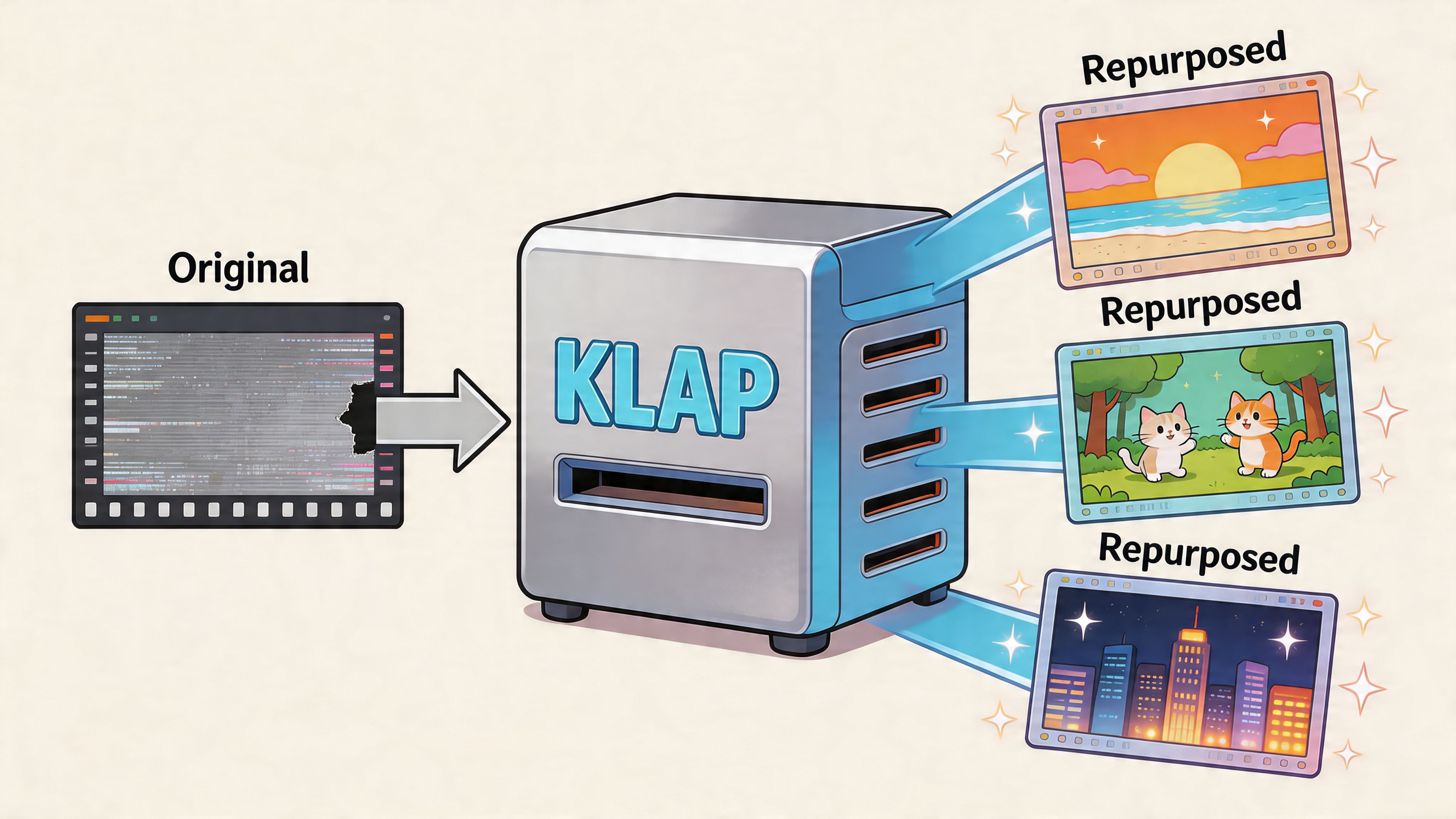
Klap can speed up production. It cannot make judgment calls for you. TikTok evaluates the final post, not whether you used software to create it. If a batch looks repetitive, low-context, or rights-risky, the account can pick up distribution friction even when the original long-form content was legitimate.
That is the part frustrated creators miss. The tool is rarely the problem. The publishing pattern is.
Smart repurposing means treating each generated clip like a draft that still needs a human pass. Keep the useful moment, then adapt it for TikTok. Tighten the opening so it works without the original video. Rewrite captions so they read cleanly on a phone screen. Adjust the crop so the frame follows the speaker or visual cue instead of leaving dead space. Strip out music, inserts, or background media you do not clearly have permission to use.
I see the same trade-off in audits all the time. Faster clipping gives you more output, but scale also makes repetition easier to spot. Default templates save editing time, but they can stamp every post with the same visual fingerprint. That is why high-volume repurposing needs stricter editorial review, not less.
A safer workflow looks like this:
- Vary the first two seconds so clips from the same source do not all open with the same beat
- Rewrite on-screen text instead of reusing one caption style across every post
- Check whether the clip stands alone without requiring the full interview, webinar, or podcast for context
- Remove or replace audio that creates copyright or reuse risk
- Space out similar clips so TikTok does not see a flood of near-duplicates from one content batch
There’s a broader conversation around TikTok automation software and where automation helps versus where it creates risk. My rule is simple. Use automation for clipping, resizing, and workflow speed. Keep topic selection, hook writing, and final approval human.
If you are publishing with an AI TikTok video generator , review every export before it goes live. Change the framing when the auto-crop misses the point. Rewrite the hook if it sounds generic. Cut filler that worked in long-form but drags in short-form. Make each post feel native, distinct, and intentional.
Creators who use Klap well usually do one thing differently. They repurpose the idea, not just the file. That is how you keep the speed benefit without training the algorithm to see your account as repetitive.
Your Step-by-Step Plan to Recover Your Account
Your views collapse, the last few posts stall, and your first instinct is to post more, tweak hashtags, and force the account back to life. That impulse hurts a lot of creators. Recovery usually starts by doing less, not more.
Step 1. Pause the account briefly
Give the account a short cooldown. Stop posting for 48 to 72 hours. Keep comments, follow sprees, and other engagement tactics to a minimum during that window.
The goal is simple. Remove noisy signals so you can see whether the problem is account trust, a few risky posts, or a messy publishing pattern.
Creators who rely on repurposing tools often make this worse by queueing up another batch while the account is already under review. Klap is not the problem there. The problem is feeding TikTok a stream of clips that are too similar, too fast, or too lightly edited.
Step 2. Audit recent posts like an operator, not a fan of your own content
Open your last 10 to 15 videos and look for patterns that would make an automated system cautious.
Check for:
- Copyright risk from music, TV footage, or borrowed visuals
- Captions or on-screen text that could trigger moderation review
- Hashtag stuffing or tags that do not match the video
- Near-duplicate clips from the same long-form source
- Reuploads of videos that were already removed, limited, or weak performers
- Sudden shifts in topic that make the account harder to classify
- Aggressive posting volume after a period of low activity
If one or two posts stand out, remove or appeal those first. Do not panic-delete your whole library. Large cleanup swings can create more confusion and wipe out videos that are still helping your account.
Step 3. Clean up the workflow that caused the issue
Here, recovery either sticks or fails.
If you repurpose from podcasts, webinars, interviews, or YouTube videos, review the source batch before you publish again. Cut clips that open the same way. Rewrite repeated text overlays. Swap out reused audio. Make sure each short works on its own instead of feeling like another fragment from the same upload session.
If you use a long to short video converter for social clips , treat the export as a draft. Change the hook, tighten the pacing, and vary the framing before it goes live. Smart repurposing helps you publish faster. Lazy repurposing trains the algorithm to treat your account as repetitive.
Step 4. Remove technical friction you can control
Clear the app cache. If the app has been glitchy, reinstall it.
That will not fix a trust issue by itself, but it does remove a few easy variables while you monitor what happens next. I usually recommend this after the content audit, not before, because creators waste time troubleshooting the app when the actual issue is sitting in the last five uploads.
Step 5. Restart with one clean test post
Do not come back from the cooldown and publish six backlog clips in a row.
Post one video that is easy for TikTok to understand and distribute. Use a clear topic, a strong opening, original-feeling packaging, and no grey-area elements. Skip risky jokes, vague stolen-style edits, questionable hashtags, and anything with rights ambiguity.
Use this order:
- First post: your safest topic and cleanest edit
- Formatting: native-looking caption, simple text, no clutter
- Timing: wait and watch before posting again
- Metrics to monitor: traffic source mix, early reach, and whether views come from For You distribution at all
One good recovery post gives you signal. A flood of mediocre ones gives you noise.
Step 6. Stay disciplined for the next few uploads
If distribution starts to normalize, keep your standards high for the next week. Space posts out. Avoid recycling the same source video back-to-back. Review every edit manually, especially if it came from an automated clipping workflow.
If distribution stays weak, reconsider the trigger. In practice, the hold-up is usually one of three things: unresolved policy risk, repeated near-duplicates, or a posting pattern that still looks automated. Fix that behavior before you ask the account to earn trust again.
Frequently Asked Questions About TikTok Shadowbans
Creators usually ask these questions after a sharp drop. One week their clips are reaching the For You page. The next week, repurposed posts stall at a few hundred views and search traffic dries up. In that situation, panic leads to bad fixes. The better move is to answer the right question and change the behavior that likely triggered the slowdown.
Is a shadowban permanent
Usually no.
What creators call a shadowban is often a temporary loss of trust, reduced distribution on certain posts, or tighter review on the account. Recovery is common if you stop repeating the pattern that got the account flagged. I see slower recoveries when creators keep posting near-duplicate clips during that weak period, especially from the same long-form source.
Will TikTok tell me I’m shadowbanned
Rarely in plain language. TikTok may reject a post, limit audio use, flag a guideline issue, or show warnings inside Account Check. What it usually does not do is send a clean notification that says your reach has been restricted.
That lack of clarity is why creators misread normal performance swings and real distribution problems in the same way.
Does switching to a creator or business account fix it
No. Account type does not restore trust.
If the issue came from repetitive repurposed clips, copyright concerns, borderline claims, or posting behavior that looks automated, changing the account setting does nothing to solve that.
Can a VPN get me un-shadowbanned
Usually no. Distribution problems are tied more closely to content signals and account behavior than to a simple location change.
A VPN can also muddy your testing. If you are trying to diagnose whether TikTok is suppressing your posts, adding another variable makes the read less reliable.
Can AI-generated clips trigger suppression even if they don’t break the rules
Yes.
That does not mean TikTok is banning AI on sight. The problem is usually packaging and pattern recognition. If a repurposing workflow produces clips with the same pacing, same caption style, same hook structure, same framing, and the same source footage sliced ten ways, the account can start to look low-quality or overly automated.
This matters for creators using tools like Klap . The tool is not the problem. The strategy often is. If you publish auto-generated clips with minimal review, stack multiple near-identical edits, and rely on loud captions to carry weak creative, you increase the odds of soft suppression. Smart use looks different. Review each cut, vary hooks, trim repetitive caption blocks, change visual pacing, and make each post feel native to TikTok instead of machine-batched.
Should I delete all my recent posts
No. Mass deletion can create more noise than clarity.
Remove the posts most likely to have caused the issue. Start with anything that has rights ambiguity, recycled watermarked footage, misleading claims, or obvious duplicate structure. Leave the rest alone unless the same problem appears across the batch.
Does replying to comments help recovery
It helps less than creators hope.
Normal engagement supports account health over time, but it does not override an active distribution problem. During a cooldown or reset period, posting discipline and content cleanup matter more than trying to comment your way back into reach.
What should I post first after the cooldown
Post one clean test video.
Choose a topic TikTok can classify quickly. Use a clear opening, simple on-screen text, native-looking captions, and an edit that does not depend on context from a podcast, webinar, or YouTube segment. If you use a repurposing tool for that first post back, treat the output as a draft, not a finished asset. The safest recovery post usually feels simpler, clearer, and more original than the clips that caused the problem.